
MT4/MT5 Operations Automation: What Tasks Brokers Should Stop Doing Manually
Share this article

Brokers running MT4/MT5 back-office operations manually are not just losing time. Every unlogged terminal session, every missed server update, every change made without an audit trail is operational risk that compounds quietly until it surfaces in a client complaint, a reconciliation failure, or a regulatory review.
MT4/MT5 automation is not a technical conversation. It is a business one. This article makes the case for which operations your team should stop running manually, what that change looks like in practice, and what it costs when brokers delay making it.
The Real Cost of Manual MT4 MT5 Back-Office Operations
Most brokerages underestimate what manual forex broker back-office automation gaps actually cost because the damage is distributed and delayed. It does not show up as a single line item. It shows up as hours that cannot be accounted for, errors that take longer to fix than they took to make, and compliance gaps that only become visible when someone asks for evidence.
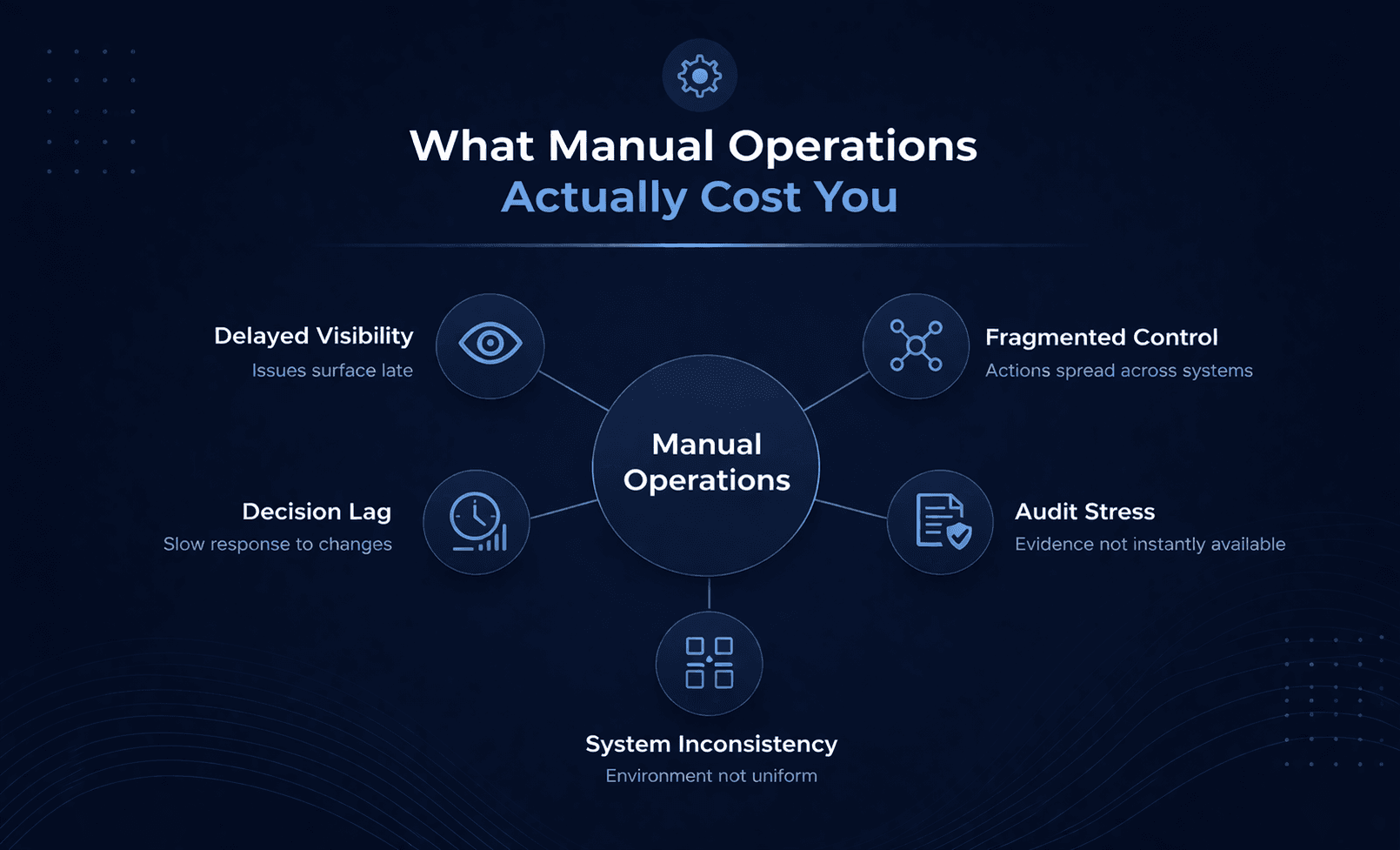
Time Cost: For an ops team thinking about how to manage multiple MT4 servers at once, between 30 and 50 percent of their weekly hours typically go into repetitive terminal work. Swap updates, group configuration, account onboarding, session time adjustments. None of it requires judgment. All of it requires time. That is the time cost.
Error Cost: The error cost is less visible but higher impact. Manual terminal operations do not fail loudly. A misconfigured group affecting 500 accounts, a swap rate mismatch across live servers, an account onboarded with the wrong leverage — these are quiet errors that surface downstream in reconciliation gaps and client-facing discrepancies. By the time they are caught, the remediation cost is multiples of the original task.
Compliance Cost: The compliance cost is what concentrates leadership attention fastest. A regulator asking for the evidence trail on a balance operation or a group configuration change should receive a timestamped, user-attributed record. A manual process without structured logging cannot produce that reliably. That is not a risk in principle. It is a predictable gap in every brokerage still running mt4 server management through direct terminal access.
Seven MT4 MT5 Back-Office Operations to Automate Now
Updating swap rates on multiple MT4 servers
Every central bank decision, every LP pricing change requires the same values to land on every server simultaneously. Symbol-by-symbol terminal updates cannot guarantee that consistency. MT4 account automation at this level removes the inconsistency risk and the time cost in a single workflow change. MT4 MT5 automation makes this a structured, repeatable operation rather than a manual one.
MT5 group settings bulk update
Group configuration in native admin is per-group, per-server. Margin levels, stop-out parameters, permissions, symbol assignments — each requires a separate terminal session. For brokers managing dozens of groups across multiple servers, one configuration review cycle can take days. The risk of server-to-server inconsistency in that process is high and predictable. Broker workflow automation MT4 replaces this with a single validated upload that applies changes across every affected group simultaneously.
MT4 manager bulk account update
MT4 MT5 Manual account onboarding through the terminal is both slow and error prone. Name misspellings, wrong group assignments, incorrect leverage values, these errors propagate into client records, reporting systems, and client-facing platforms. At volume they become a data quality problem that takes longer to fix than it took to create. A validated bulk template with defined fields eliminates the input variation that causes these errors. MT4 plugins for brokers designed for account management make this a structured, repeatable process rather than a manual one.
Scheduling holiday sessions MT4/MT5
Configuring non-trading windows per symbol across each server through the terminal is low-frequency but high-consequence. One missed symbol or server means instruments trading during a market closure. That is a client impact and a compliance record that is difficult to defend. MT4 MT5 automation handles holiday scheduling centrally across all connected servers from a single interface.
MT5 session time change across multiple servers
Session time updates recur with daylight saving adjustments, market schedule changes, and new instrument launches. For a broker with hundreds of symbols, manual MT5 session time change multiple servers carries a predictable error rate. Every server that does not receive the update on time is running incorrect trading hours. MT server admin automation eliminates the per-server, per-symbol manual step entirely.
Update symbols across multiple MT servers
Symbol configuration changes — execution settings, spread, filtration, calculations — need to apply consistently across every server in your estate. Update symbols across multiple MT servers through a bulk template rather than navigating into each symbol individually on each server. MT4 automation software built for this workflow ensures changes are validated before they reach the live environment.
MT4 MT5 bulk balance update
Balance adjustments and trade-level operations made directly through the terminal are the least auditable operations in most brokerages. MT4 MT5 bulk balance update workflows with structured logging replace the compliance gap that manual balance operations create. For teams also asking how to close all trades on MT4 server in bulk, the same principle applies — structured, validated, logged operations rather than individual terminal actions. Regulators expect these operations to be authorised, recorded, and reviewable.
For the broader context on how these operations fit within a managed MT4/MT5 server environment, the operational framework is worth understanding before scoping any automation work.
What MT4 MT5 Automation Replaces in Your Operations Workflow
MT5 automation does not remove your operations team. It removes the low-value, high-repetition work that currently occupies them and replaces it with structured, validated, auditable workflows. FYNXT TradeOps Control Center is built specifically for this shift, giving broker ops teams a purpose-built MT4 MT5 back-office tool and MT4 admin portal where every operation runs through validated templates, defined processing rules, and role-based access controls.
In practice, the shift looks like this.
1. An ops manager uploads a single file to update swap rates on multiple MT4 servers simultaneously. No Tuesday morning terminal work.
2. A back-office analyst populates one template, and the MT5 group settings bulk update applies across every affected group in a single operation. No navigating into each group individually.
3. A senior ops lead runs a MT4 manager bulk account update that handles onboarding volume consistently, every time. No manual entry.
What changes is not what gets done. It is how long it takes, how reliably it is done, and what evidence exists that it was done correctly.
TradeOps covers every operation type in this workflow: groups, accounts, symbols, balances, and trades. Each has its own purpose-built module. Import Logs and Output Files provide the timestamped, user-attributed audit trail that manual terminal operations cannot produce. The ops team works through a structured portal. Changes apply to connected MT4/MT5 servers in real time.
Choosing the best MT4/MT5 Plugins for Brokers
The starting point is not tool selection. It is identifying which operations in your current workflow carry the most time cost, the most error risk, and the most compliance exposure. Those are the operations to automate first.
For most broker operations teams that list starts with how to update swap rates on multiple MT4 servers, MT5 group settings bulk update, and MT4 manager bulk account update — the highest-frequency, highest-volume operations that currently depend on manual terminal accuracy.
The best Meta Trader plugins for broker operations are those built around validated workflows, role-based access, and audit logging rather than raw terminal access. The MT4/MT5 plugins for brokers that deliver the most operational value make compliance and consistency a built-in outcome rather than a manual effort. MT4 automation software worth implementing is the kind that covers the full operational stack — not just one operation type in isolation.
When your team is ready to move MT server admin automation off the terminal and onto a platform built for broker operations, book a demo to see how TradeOps works across your server environment.
Frequently Asked Questions
Frame it across three dimensions: weekly ops hours lost to repetitive terminal work, remediation cost when manual processes fail, and compliance exposure against your regulatory audit requirements. The compliance dimension lands fastest with most leadership teams.
The answer to how to manage multiple MT4 servers at once efficiently requires a centralised management layer rather than individual terminal sessions per server. MT4 automation software like TradeOps connects to all your servers simultaneously, allowing a single operation to apply changes across your entire server estate.
Start with the highest-frequency, lowest-risk operations. How to update swap rates on multiple MT4 servers and MT5 session time change multiple servers are the clearest starting points — high frequency, easy to verify post-import. Build confidence in broker workflow automation MT4 before moving to group configuration updates which carry higher impact if something goes wrong.
The opposite is true. Manual terminal work concentrates procedural knowledge in individuals. Templated, logged workflows make that knowledge organisational, auditable, and resilient to staff turnover.
For teams using a purpose-built MT4 MT5 back-office tool, the transition is faster than most ops managers expect. The workflow infrastructure already exists. The transition time is mostly retraining — template-based workflows and Import Log review rather than terminal navigation.
Typically, yes, in a positive direction. Shifting from manual terminal operations to logged, validated workflows strengthen your compliance posture. Work with your compliance team to update operational procedures to reflect the new workflow evidence trail.
Compliance-sensitive account actions, MT5 group settings bulk update changes affecting large account populations, and MT4 MT5 bulk balance update operations above defined thresholds should always retain a review step. MT4 MT5 automation removes repetition. Role-based access controls in MT4/MT5 plugins for brokers ensure high-impact operations cannot bypass the human sign-off step regardless of who is logged in.
MT4 server management is the operational discipline — configuration, updates, monitoring across your server estate. An MT4 admin portal is the interface through which those tasks are executed. TradeOps functions as an MT4 admin portal that gives your ops team a structured, role-based interface for every management task without direct terminal access.