- The Logic Behind MT4/MT5 Bulk Operations
- MT4 MT5 Plugins and Bulk Operations: Understanding the Risk Hierarchy
- Tier 1: Low impact, high frequency
- Tier 2: Medium impact, recoverable
- Tier 3: High impact, low reversibility
- What Mature MT4/MT5 Plugins for Brokers Workflows Look Like
- Building MT4 Account Automation into Your Team's Daily Workflow
- Define Ownership Clearly
- Build Review Without Slowing Execution
- Make Logs Mandatory
- Handle Failures Systematically
- Standardise Across Teams and Servers
- MT4 MT5 Bulk Operations as a Foundation for Broker Automation
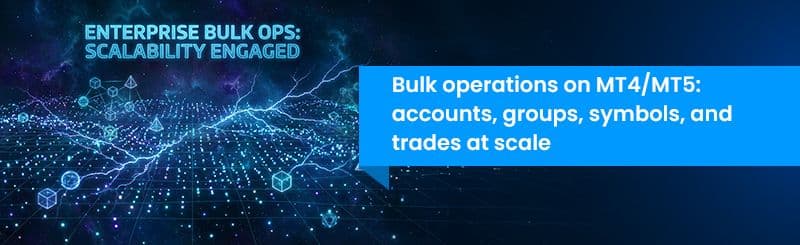
MT4/MT5 bulk operations refer to executing large-scale updates across accounts, groups, symbols, or trades using structured inputs instead of manual actions. They matter because they enable faster execution, reduce human error, and make operations auditable, which is essential for scaling brokerage operations.
For most brokers, the challenge is not whether bulk workflows exist but how to execute them without introducing risk. This is where mt4 account automation moves from a concept to a controlled operational system, and where bulk trade operations become part of daily execution rather than occasional fixes.
This article shows how MT4 MT5 tools for brokers enable teams to apply configuration changes across their entire server estate in a single operation instead of repeating the same terminal steps across every server.
The Logic Behind MT4/MT5 Bulk Operations
At its core, every MT4 MT5 bulk account update process follows a simple but strict structure:
- Structured input
- Validated processing
- Auditable output
That pattern is consistent whether the operation is a bulk update MT4 accounts run covering hundreds of client records or a MT4 group settings bulk update applying new margin parameters across dozens of groups. The operation type changes. The discipline does not.
Brokers who treat this pattern as standard practice build a back office that scales predictably. Brokers who treat bulk operations as an occasional shortcut find that the shortcuts create the errors they were meant to avoid.
MT4/MT5 plugins for brokers like FYNXT TradeOps Control Center are built around this discipline. Every operation type follows the same structured workflow, making the process consistent and the audit output predictable across your entire server estate.
If you look back at this article, the argument was about eliminating repetitive work. It builds on that by showing how structured execution replaces manual dependency.
MT4 MT5 Plugins and Bulk Operations: Understanding the Risk Hierarchy
Not all bulk operations carry the same level of risk. Treating them equally is one of the biggest operational mistakes. A practical way to think about this is by categorising operations based on impact and reversibility.
Tier 1: Low impact, high frequency
Swap rate updates, session time adjustments, and symbol descriptions sit here. The scope of each change is narrow, easy to verify, and recoverable without client-facing consequences. MT4 account automation at this level is the right starting point for any team building bulk workflow discipline. Starting with how to update swap rates on multiple MT4 servers builds the habits your team needs before moving up the risk ladder.
Tier 2: Medium impact, recoverable
A MT5 bulk account update or MT4 manager bulk account update sits here. So does bulk update leverage MT4 MT5. These affect client-facing parameters, but errors can be corrected with a follow-up bulk operation. Pre-import verification at this tier is not optional.
Tier 3: High impact, low reversibility
A MT4 group settings bulk update affects every account within the group the moment it applies. A MT4 MT5 bulk balance update touches client equity directly. Bulk trade operations MT4 including how to close all trades on MT4 server appear in client statements immediately. None of these should run without a pre-verified demo run and a senior sign-off.
Understanding this hierarchy is critical before implementing mt4 group settings automation or scaling bulk workflows.
FYNXT TradeOps Control Center enforces this hierarchy through its role management layer. Access to high-impact operation modules is configured at the role level. The mt4 trade management panel within TradeOps gives ops managers visibility across all active and completed operations, making oversight practical rather than dependent on individual monitoring.
What Mature MT4/MT5 Plugins for Brokers Workflows Look Like
Moving beyond individual bulk operations to a systematic approach is what separates a scalable back office from one that is always catching up.
Template discipline: Always download a fresh template for each operation cycle. Never reuse a modified version from a previous run. The predefined templates across MT4 MT5 tools for brokers in TradeOps are validated on import. Structural modifications cause the batch to fail. Your team populates the values within the existing structure.
Pre-import verification: Every bulk operation scope should be verified before the file is uploaded. For a bulk update MT4 accounts run, confirm login numbers and group names match exactly as they appear on the server. When you need to update symbols across multiple MT servers, confirm symbol naming conventions per server before populating your file. For a MT4 group settings bulk update, confirm the exact groups in scope and the servers they exist on. Verification before import is always less costly than recovery after a mis-applied bulk change.
Demo before live: Both demo and live servers connect within the same MT4 MT5 tools for brokers portal in TradeOps. Running your bulk operation on the demo server first and confirming the output before pushing to live is standard practice for medium and high-impact operations. When how to schedule holiday sessions MT4 needs to be configured across multiple servers, this step catches value errors before they reach live accounts. The same applies to any MT5 bulk account update run affecting a large account population.
Import Logs and Output Files: Every bulk operation generates an Import Log with batch-level status and an Output File with row-level results. The mt4 trade management panel in TradeOps makes both accessible immediately after each operation. These are your operational proof of what was applied, when, and by whom. Retaining Output Files alongside your trade operations records gives you a complete, timestamped audit trail without any additional documentation effort.
Role-based access: The best MetaTrader plugins for broker operations include role management at the operation level, not just platform-level access. In TradeOps, access to high-impact operations like MT4 group settings automation is configured per role independently. This is what makes MT4/MT5 plugins for brokers safe to distribute across a team rather than restricting everything to one or two administrators.
For brokers thinking about how this framework fits within a broader MT4/MT5 server management approach, the operational architecture is worth understanding before configuring access and rollout.
Building MT4 Account Automation into Your Team's Daily Workflow
Bulk operations should be embedded into daily workflows, not treated as exceptional tasks.
Define Ownership Clearly
Align responsibility with risk:
- Low impact operations handled by ops teams
- Medium impact operations reviewed by senior operators
- High impact operations controlled through restricted access
Build Review Without Slowing Execution
Not every operation needs approval.
High-risk operations should have mandatory checks.
Low-risk operations should move quickly.
This balance is essential for scaling mt4 account automation effectively.
Make Logs Mandatory
Every bulk trade operations MT4 workflow must end with:
- Log review
- Output validation
Skipping this step removes visibility into execution outcomes.
Handle Failures Systematically
When a batch fails:
- If it is a data issue, correct and re-run
- If it is a system issue, escalate
This applies across workflows such as MT4 manager bulk account update and symbol updates.
Standardise Across Teams and Servers
For brokers managing multiple environments, consistency is key.
Questions like:
- how to update swap rates on multiple MT4 servers
- update symbols across multiple MT servers
Are solved through standard processes rather than individual expertise.
MT4 MT5 Bulk Operations as a Foundation for Broker Automation
Bulk operations are the foundation of a scalable MT4/MT5 back office. The discipline of structured input, validated processing, and auditable output that governs every operation type in this article is the same discipline that makes mt4 account automation across the full back-office workflow possible.
The best MetaTrader plugins for broker operations apply this discipline consistently across every operation type. A platform that brings MT4 MT5 tools for brokers together across accounts, groups, symbols, balances, and trades from a single portal with consistent template structure, Import Logs, and Output Files is a platform that scales with your brokerage rather than creating new operational complexity as you grow.
When your team is ready to move bulk operations off the terminal and into a systematic, auditable workflow, book a demo to see how TradeOps works across your server environment.
Frequently Asked Questions
The templates used across MT4/MT5 plugins for brokers in TradeOps support multiple servers within a single file. Each row specifies its target server so one upload covers your entire server estate for a given operation type.