Managing Multiple MT4/MT5 Servers: The Complete Operations Guide for FX Brokers
Share this article
Managing multiple MT4/MT5 servers requires coordinating swap updates, group configurations, account parameters, risk controls, session scheduling, and trade management across every server, simultaneously. Most brokers do this manually, logging into each server individually using fragmented MT4 broker tools and MT5 broker tools with no unified control layer. This guide covers what centralised MT server control looks like, which tools handle each operational function, and how brokers are using a broker operations platform to reduce operational workload by 60–70% through MT4/MT5 operations automation.
What this guide covers
- The real cost of manual MT4 server management and MT5 server management
- Which operational tasks consume the most broker time
- How to manage multiple MT servers from one dashboard
- The MT4 broker tools and MT5 broker tools every broker needs by function
- MT4 multi-server management and MT5 multi-server management at scale
- Dynamic leverage, risk management, compliance, and scheduling
- MT5 back-office automation and how to evaluate an MT4/MT5 operations platform
- How TradeOps fits into your existing MT infrastructure
Who this is for: FX brokers, CFD brokers, and multi-asset brokers operating 2 or more MT4/MT5 servers including MENA FX brokers managing MT infrastructure across multiple entities
Reading time: 12 minutes
The real cost of managing MT servers manually
Most FX and CFD brokers underestimate what manual MT4 server management and MT5 server management actually costs their business. The conversation usually starts with time but time is only the most visible part of the problem.
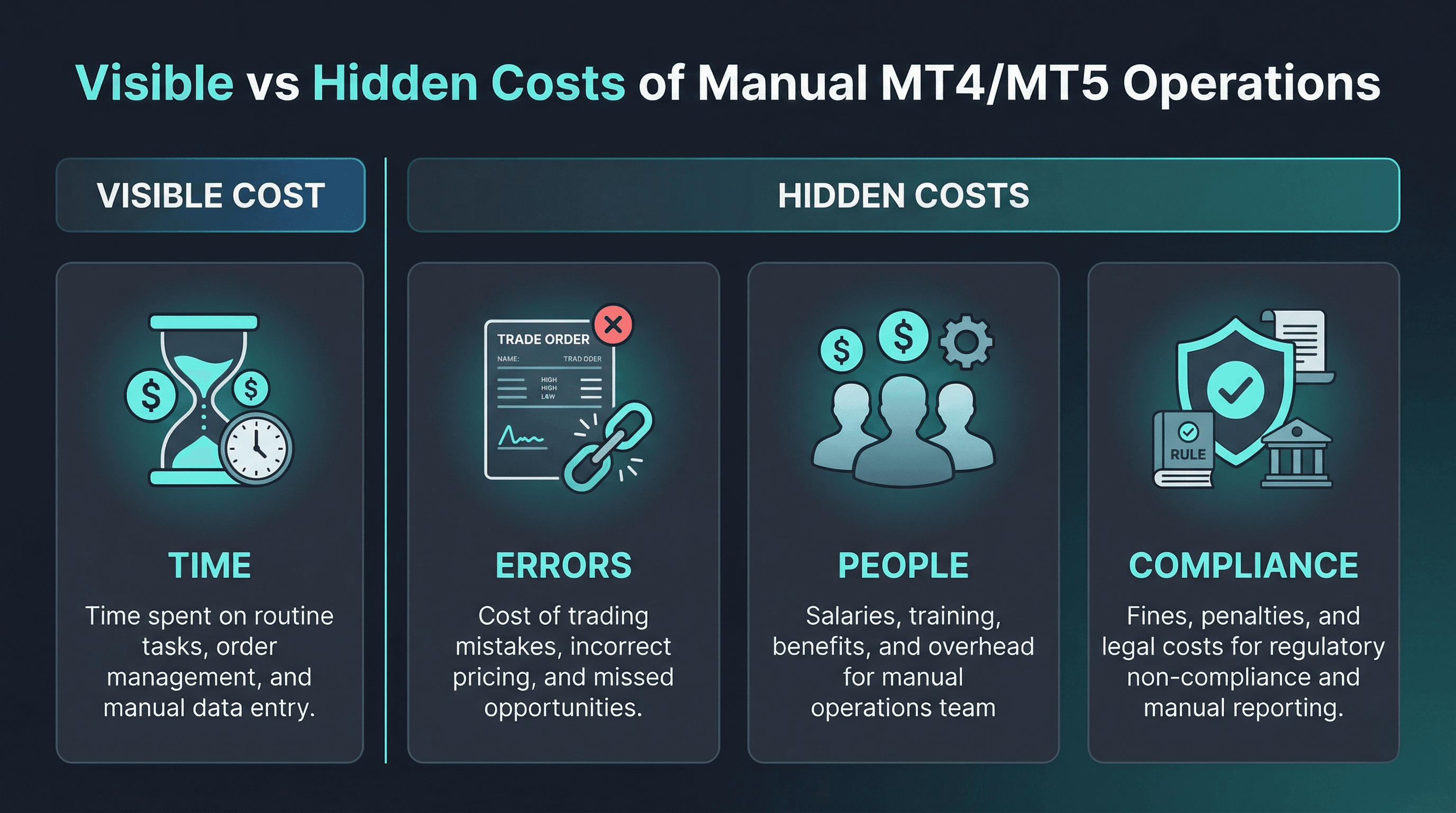
Time cost
The rule of thumb: every server you add multiplies your operational time — not linearly, but exponentially, because context-switching, re-verification, and inconsistency checking add overhead that grows with each additional interface.
| Task | 1 server | 3 servers | 5 servers |
| Swap rate update (600+ symbols) | 20 min | 60 min | 3–4 hours |
| Group configuration update | 15 min | 45 min | 1–2 hours |
| Bulk account parameter update | 25 min | 75 min | 2–3 hours |
| Holiday session scheduling | 10 min | 30 min | 45–60 min |
Without centralised MT server control, every routine task scales with server count — there is no ceiling.
Error cost
Manual processes across multiple server interfaces create inconsistencies that are not a possibility — they are an inevitability. Common error scenarios include:
- Leverage setting updated on live server but not demo server
- Swap rate applied incorrectly to one symbol group on one server
- Group configuration change missed on a regional server during a product launch
- Holiday session not reverted after a market closure
Each of these errors has a direct client impact and, for regulated brokers, a potential compliance consequence.
People cost
MT4 multi-server management and MT5 multi-server management done manually requires headcount that scales with infrastructure:
- 2–4 servers: 1–2 operations staff managing server administration alongside other duties
- 4–8 servers: Dedicated dealing/operations staff with server administration as primary function
- 8+ servers: Multiple operations staff, shift coverage, and specialist server administrators
At enterprise scale, brokers are spending $150,000–$300,000 per year on staff whose primary function is repeating the same server administration tasks — tasks that a broker operations platform automates in minutes.
Compliance cost
Regulatory bodies — FCA, ASIC, CySEC, DFSA — expect brokers to demonstrate:
- ✓ Documented change management for all server configuration changes
- ✓ User attribution for every modification (who made the change)
- ✓ Timestamped before/after records for all parameter updates
- ✓ Approval controls preventing unilateral changes to live infrastructure
Manual MT4/MT5 server management cannot consistently provide any of these. Every undocumented change is a regulatory exposure.
The brokers solving this problem most effectively are not hiring more operations staff they are implementing MT5 back office automation and MT4 automation tools that change how their infrastructure is managed.
What centralised MT server management actually means
For most broker operations teams, managing MT4 and MT5 servers has always meant the same thing: open MT Manager or a server administration tool, make the change, close it, open the next server, repeat. This is not a technology limitation — it is simply how brokers have always done it, because until recently there was no MT4/MT5 operations platform that provided a genuine alternative.
Centralised MT server control works differently. Instead of connecting to each server individually, a centralised broker operations platform connects to all servers simultaneously through the MT4/MT5 Manager API and Server API. Every operation—swap updates, group configurations, account changes, trade management, and session scheduling—is executed once on a single web dashboard and applied across every connected server at the same time.
This is the foundation of MT4 multi-server management and MT5 multi-server management done properly. It enables three things that manual processes cannot provide:
Simultaneous multi-server operations. One action, applied to every server in your infrastructure in the same operation. Whether you are running 2 servers or 200, the time to execute is the same.
Validated, approval-controlled workflows. Every change goes through a structured process proposed, validated against server parameters, approved by an authorised manager, executed, and logged before it touches a live server. The maker-checker model that financial institutions apply to every significant transaction is applied to every MT server change.
A unified audit trail. Every change, across every server, logged with before and after state, user attribution, and precise timestamp. One interface. Complete history. Accessible from any browser.
This is not a marginal improvement on manual processes. It is a different operating model entirely — and it is the model that MT4 broker tools and MT5 broker tools have been moving toward as broker infrastructure has grown in complexity.
TradeOps Control Center is built on this model — a web dashboard giving brokers centralised MT server control over their entire MT4/MT5 infrastructure.
How to automate MT4/MT5 operations at scale — and how long each task actually takes
One of the most common questions from broker operations teams is: how to automate MT4/MT5 operations at scale without disrupting live server infrastructure. The answer lies in understanding which operations are the highest-frequency, highest-risk tasks — and automating those first.
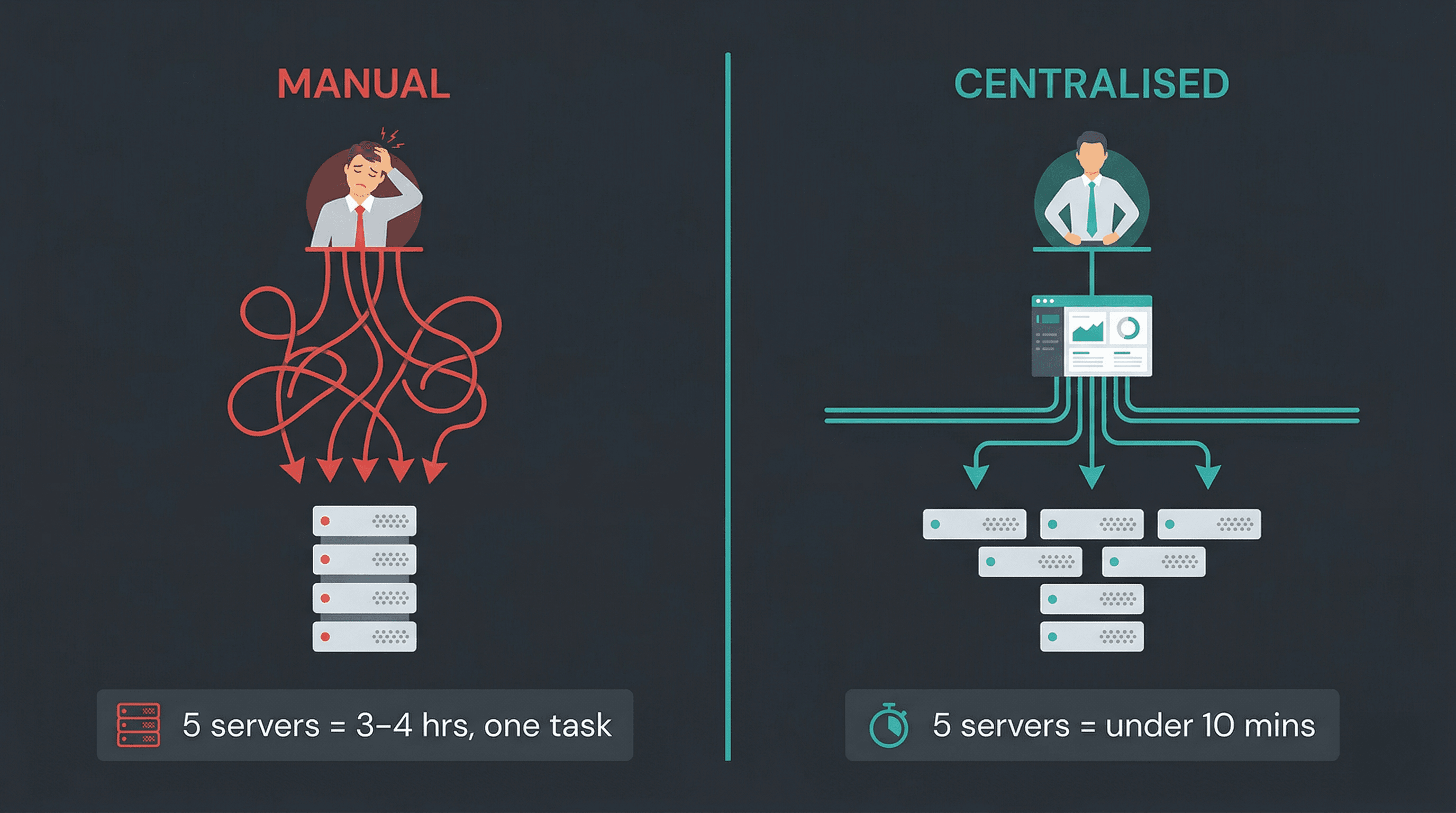
The table below maps the core MT4/MT5 operations to their actual time cost across five servers manually versus centralised broker operations platform execution. These figures are based on typical broker operations workflows.
| Operation | Manual — 5 servers | MT4/MT5 operations platform |
| Bulk swap rate update (600+ symbols) | 3–4 hours | Under 10 minutes |
| MT4/MT5 group settings automation | 1–2 hours | Under 5 minutes |
| Bulk update MT4/MT5 accounts | 2–3 hours | Under 15 minutes |
| Holiday session scheduling | 45–60 minutes | Under 5 minutes |
| Symbol configuration changes | 1–2 hours | Under 10 minutes |
| Balance operations (bulk) | 1–2 hours | Under 15 minutes |
| Trade bulk close or update | 30–60 minutes | Under 5 minutes |
If your operations team is performing all of these tasks weekly across a five-server infrastructure, they are spending 10–15 hours per week on server administration alone. At ten servers, that number roughly doubles.
MT5 back office automation — the full picture
What operations can be automated in MT5 specifically — covering the complete MT5 back office function:
Fully automatable via MT5 server management platform:
- All swap rate management (long/short, 600+ symbols)
- All group configuration (leverage, margin, execution, symbol sets)
- All account operations (leverage, groups, passwords, parameters)
- All trade lifecycle management (create, update, close)
- All balance operations (deposits, withdrawals, reconciliation)
- All session management (trading hours, holidays, reversion)
- Dynamic leverage (real-time tier-based adjustment)
- NOP limit management (multi-currency, multi-level)
- Symbol configuration (visibility, spread, trading conditions)
The short answer: If your MT5 operations team is doing it manually today, it can be automated through a centralised MT server control platform.
The MT4 broker tools and MT5 broker tools every broker needs — mapped by function
MT4 broker tools and MT5 broker tools fall into six functional categories. The table below maps every tool to its function, the operational problem it solves, and the automation level it provides.
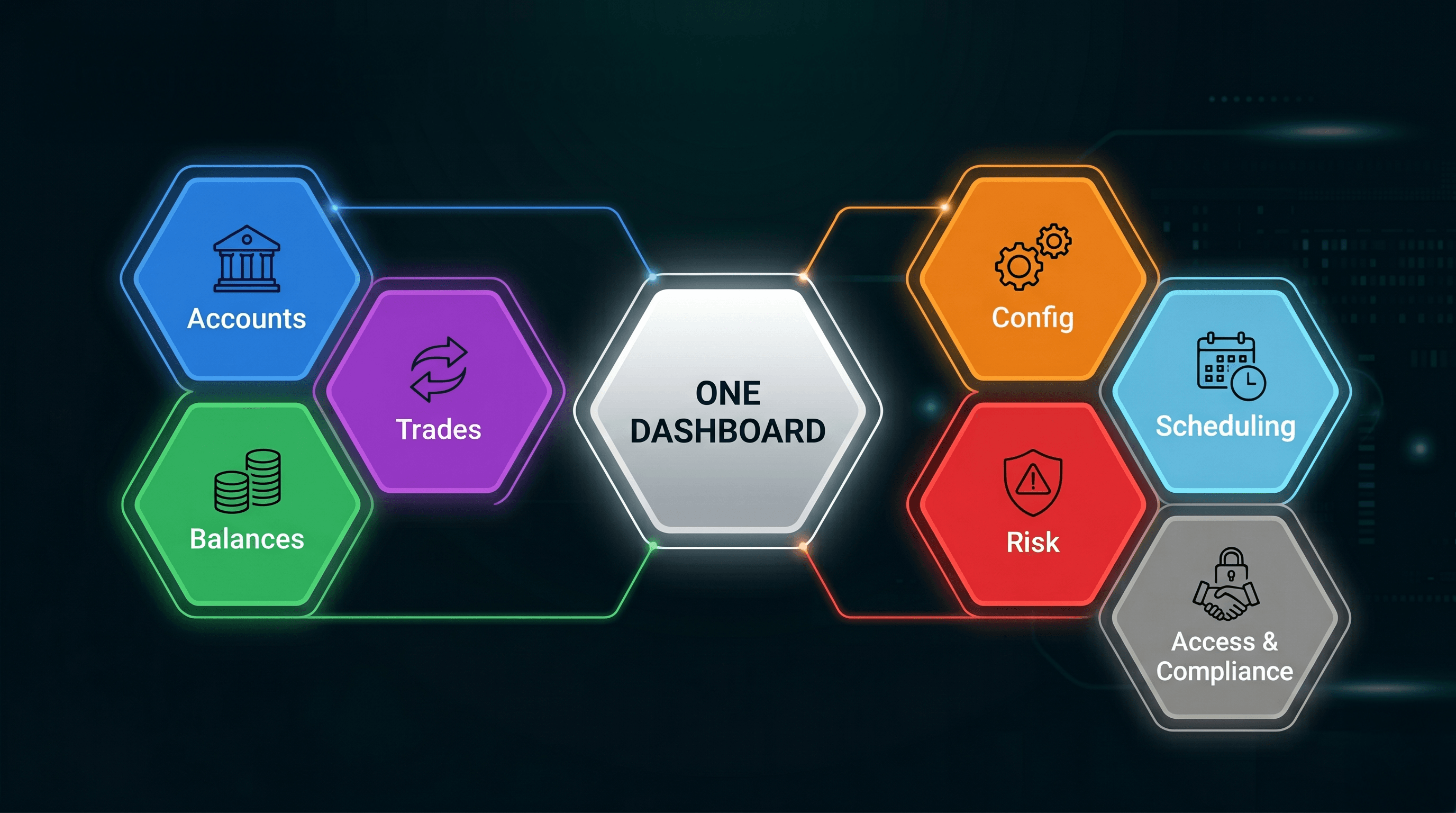
Complete MT4/MT5 tools reference
| Tool category | Specific tools | Operational problem solved | Automation level |
| Account management | Account Manager, Accounts Updater | Bulk account parameter updates at scale | Full — CSV upload, validate, approve, execute |
| Balance management | Balance Manager, Balance Updater | High-volume deposit/withdrawal processing | Full — duplicate prevention, audit trail |
| Trade management | Trade Creator, Trade Updater, Trade Closer | Bulk trade lifecycle operations | Full — preview, validate, rollback |
| Configuration | Groups Updater, Symbol Updater, Swaps Updater | Server configuration standardisation | Full — multi-server simultaneous execution |
| Scheduling | Session Time Updater, Holiday Scheduler | Trading hours management across servers | Full — automated reversion, rollback |
| Risk management | Dynamic Leverage, NOP Limits | Real-time risk control across accounts | Automated — tier-based, real-time adjustment |
| Access and compliance | Server Control Hub, User Access Manager, Audit Trail | Governance, RBAC, regulatory evidence | Systematic — every action logged automatically |
MT4 plugins for brokers — understanding the terminology
MT4 plugins for brokers refers to the server-side tools that extend MT4/MT5 functionality. MT4 plugins in this context work alongside the web dashboard — the plugins handle server-side execution while the web dashboard provides the centralised control layer for managing them.
Key distinction:
- Traditional MT4 plugins — installed on the server, managed individually per server
- TradeOps model — MT4 plugins managed centrally through a web dashboard across all servers simultaneously
This is the architectural difference that makes MT4 multi-server management and MT5 multi-server management possible at scale.
Why individual MT4 broker tools create hidden costs
Sourcing MT4 broker tools and MT5 broker tools individually creates a cost structure most brokers do not fully account for:
Direct costs:
- Multiple licensing fees per tool per server
- Separate integration fees for each tool
- Multiple renewal cycles to manage
Indirect costs:
- Multiple vendor support relationships
- No unified audit trail across tools
- Configuration inconsistencies between tools from different vendors
- No approval workflow spanning all tools
- Training overhead for each separate interface
The alternative: A unified MT4/MT5 operations platform that covers all tool categories under one commercial relationship, one interface, one audit trail, and one approval workflow.
"All of the above. One web dashboard."
TradeOps Control Center is the broker operations platform consolidating all six MT tool categories into a single centralised MT server control dashboard — 10+ tools, all servers, from one browser tab.
Connect your demo server. Full core bundle. No commitment.
How TradeOps fits into your MT infrastructure — the technical picture
For operations and IT teams evaluating a new MT4/MT5 operations platform, the first question is always: how does this actually connect to our servers, and what does the implementation look like?
TradeOps integrates with your MT4 and MT5 servers through the standard MT4/MT5 Manager API and Server API — the same API layer that MT Manager itself uses. There is no proprietary middleware, no server-side agent installation, and no modification to your existing MT server configuration. The integration is additive: your servers continue to operate exactly as they do today, and TradeOps connects to them as an authorised management client.
The architecture works as follows:
FYNXT Web Portal (browser-based, any device) → Manager API (coordinates all operations and server communications) → Server API (direct communication with trading server) → MT4 / MT5 Trading Servers
Three things brokers consistently ask about before implementation:
How long does setup take? The one-time integration includes comprehensive setup, configuration, and user acceptance testing support. Most brokers complete integration and UAT within a few days. The cost for TradeOps Control Centre starts at $499.
Which servers can I connect? TradeOps supports both MT4 and MT5 with identical feature sets across MT4 multi-server management and MT5 multi-server management. Live, demo, and contest servers are all connectable. You can connect your demo server first for the 7-day free trial before any live server integration.
Is the connection secure? All connections use your existing secure Manager API credentials. TradeOps does not store or access client trading data — it executes operations through the same API layer your operations team already uses.
For a deeper technical breakdown: [MT4/MT5 Manager API and Server API: What Brokers Can Automate →]
Dynamic leverage, risk management, and compliance — the operational layer regulators expect
Operational efficiency is the most visible benefit of centralised MT server control. But for brokers operating under regulatory oversight — FCA, ASIC, CySEC, DFSA, and others — the dynamic leverage, compliance, and governance capabilities are equally important.
Dynamic leverage as a risk and regulatory control
Dynamic leverage is increasingly a regulatory expectation, not just a product feature. Regulators in multiple jurisdictions require brokers to demonstrate that leverage is managed proportionally to client exposure. A fixed leverage model applied uniformly across all accounts does not meet this standard in many regulated markets.
What is the best MT5 automation tool for brokers focused on risk management? The answer centers on dynamic leverage capability. Tier-based dynamic leverage reduces a trader's available leverage automatically as their exposure increases — protecting the broker's balance sheet from outsized risk during volatile market events and demonstrating to regulators that leverage is actively and automatically managed. Manual leverage management across multiple MT servers is too slow to be effective during fast-moving market conditions.
TradeOps Dynamic Leverage — available as a premium add-on — handles this for both MT4 and MT5 with identical configuration, managing 100,000+ active accounts and 200,000+ positions in production environments.
For a detailed guide to dynamic leverage setup: [Dynamic Leverage on MT4/MT5: Configuration, Tiers, and Risk Management →]
Audit trails as compliance infrastructure
Every configuration change made to an MT server should be documented with full context — who made it, when, what it changed from, what it changed to. Without this, brokers cannot demonstrate controlled MT4/MT5 server management to regulators, cannot investigate incidents reliably, and cannot identify the source of configuration errors after the fact.
MT broker audit trail tools embedded in a broker operations platform create this record automatically without relying on operations staff to maintain manual change logs.
Approval workflows as governance
The maker-checker model where every significant change requires a second authorised approval before execution prevents unilateral changes to live server configurations, creates a documented authorisation record for every action, and provides a natural checkpoint for catching errors before they reach production.
For a complete compliance guide: [MT Broker Compliance: Audit Trails, Approval Workflows, and Change Management →]
Operational efficiency and regulatory compliance are not competing priorities. A well-structured MT4/MT5 operations platform delivers both simultaneously.
How to Scale MT4/MT5 operations as your broker grows — what changes at each stage
The operational challenges of managing multiple MT4/MT5 servers change at each growth stage. The table below maps what matters most at each stage and the primary MT4 broker tools and MT5 broker tools required.
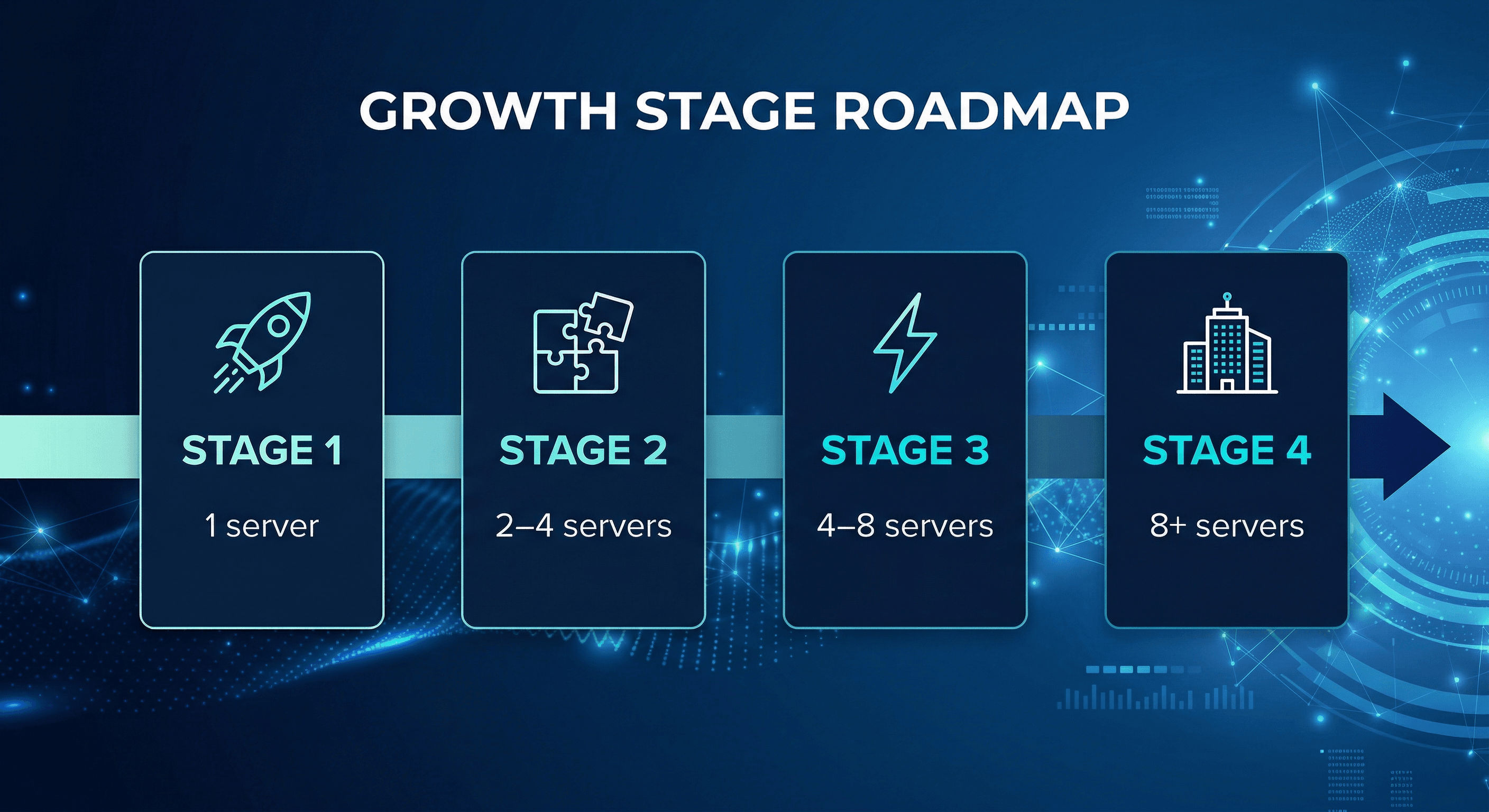
Growth stage reference
| Stage | Server count | Primary challenge | Key tools needed | Integration fee |
| Startup | 1 server | Risk controls from day one | Dynamic leverage, account management | $999 |
| Small broker | 2–4 servers | Configuration standardisation | Groups updater, swap updater, symbol updater | $999 |
| Mid-size broker | 4–8 servers | Incident response speed, workflow governance | Full suite + trade management tools | $2,499 |
| Enterprise | 8+ servers | Governance, compliance, cost control | Full suite + RBAC + advanced audit | $2,499 |
Stage 1: Single server — establishing operational discipline
Priority: Risk controls and operational habits before scaling begins.
What to implement:
- Dynamic leverage from day one — retrofit costs are higher than upfront implementation
- Account management workflows with approval controls
- Basic audit trail for all server changes
Strategic value: A single-server broker using TradeOps is already positioned for frictionless MT4 multi-server management or MT5 multi-server management when the second server is added — no operational rebuild required.
Stage 2: 2–4 servers — the standardisation challenge
Primary problem: Configuration drift.
What configuration drift looks like:
- Live server swap rates updated; demo server forgotten
- Group leverage changed on Entity A server; not applied to Entity B
- Symbol settings diverge across servers over time
- No single source of truth for current server configuration
Solution: Centralised MT server control ensuring every configuration change is applied consistently across all servers simultaneously, every time.
Key tools at this stage:
- Groups updater — standardise group parameters across all servers
- Swaps updater — consistent swap rates across all symbols and servers
- Symbol updater — uniform symbol configuration
- Accounts updater — consistent account parameters across entities
Stage 3: 4–8 servers — incident response and governance
Primary problem: Speed and control during market events.
What changes at this stage:
- Configuration errors affect more clients simultaneously
- Incident response time becomes a client relationship risk
- Manual MT4 server management and MT5 server management cannot keep pace with market-driven operational demands
- Compliance teams start requiring formal change management evidence
Key tools at this stage:
- Trade Closer — bulk close affected trades across all servers in minutes
- Trade Updater — correct parameters across multiple accounts simultaneously
- Balance Manager — process incident-related adjustments at scale
- Approval workflows — documented authorisation for every action
Stage 4: 8+ servers — governance and cost control
Primary problem: Operational cost and regulatory exposure at enterprise scale.
The cost reality:
| Operations staffing model | Annual cost (est.) | Scalability |
| Manual MT server management | $150,000–$300,000/year in ops staff | Linear — grows with server count |
| Centralised MT operations platform | $19,080–$47,760/year (10–20 servers, core bundle) | Fixed — same team manages 2x infrastructure |
What enterprise brokers require beyond efficiency:
- Role-based access control (RBAC) — department-level permissions
- Immutable audit trails — evidence of controlled change management
- Maker-checker approval — governance at scale
- Multi-entity server management — consistent policies across all entities
- SSO integration capability
The enterprise business case: A centralised MT server control platform with full compliance infrastructure reduces operational headcount while improving regulatory posture simultaneously. The operations function becomes a fixed cost instead of a variable one.
"Where are you in this journey?"
Whether you are managing multiple MT4/MT5 servers at startup scale or running enterprise infrastructure across 100+ servers, TradeOps scales with your operations.
Book a personalised demo — we will map TradeOps to your exact server setup and operational requirements
[Start your 7-day free trial →] — connect your demo server, access the full core bundle, and explore the broker operations platform with your own data
Starting $499 per month. Setup support included. No commitment.
How to evaluate MT4/MT5 operations platforms — what to look for
For brokers actively comparing MT4 broker tools, MT5 broker tools, and MT4 plugins for brokers, the market offers options from single-purpose utilities to broader platforms. The following criteria provide a consistent evaluation framework.
Multi-server management capability. Does the platform handle true MT4 multi-server management and MT5 multi-server management — executing one operation across all servers simultaneously — or does it process servers sequentially?
Web-based accessibility. Is the broker operations platform accessible from any browser without desktop software or server-side installation? Web-based access gives operations teams flexibility to manage multiple MT4/MT5 servers from any location.
Bulk operations capability. Can the platform bulk update MT4 and MT5 accounts without volume restrictions? For brokers with large account bases or high symbol counts, an artificial volume ceiling defeats the purpose.
Dynamic leverage and risk tools. Does the platform include dynamic leverage as a built-in or add-on capability? For regulated brokers, this is not optional.
Approval workflow and audit trail. Does the platform enforce maker-checker controls and maintain an immutable audit log? These are compliance requirements, not optional features.
Tool breadth and pricing. Does the platform cover all six operational function categories, or does it require supplementary MT4 plugins for brokers from additional vendors? Is pricing per-server, transparent, and scalable?
TradeOps Control Center meets all six criteria—the only web-based MT4/MT5 operations platform that consolidates the full operational function set.
For a detailed side-by-side evaluation: [MT4/MT5 Broker Operations Tools: How to Evaluate What Your Broker Actually Needs →]
What is TradeOps Control Center by FYNXT?
TradeOps Control Center is a web-based MT4/MT5 operations platform developed by FYNXT for FX, CFD, and multi-asset brokers.
What it is:
- A browser-accessible web dashboard providing centralised MT server control over MT4 and MT5 infrastructure
- Connects via standard MT4/MT5 Manager API — no server-side installation required
- 10+ integrated tools covering all six MT operational function categories
What it does:
- Manages multiple MT4/MT5 servers simultaneously from one interface
- Automates bulk operations across accounts, trades, groups, symbols, swaps, and sessions
- Enforces maker-checker approval workflows and generates immutable audit trails
- Provides dynamic leverage and NOP limit management as premium add-ons
Who it is for: FX, CFD, and multi-asset brokers operating 2 or more MT4 or MT5 servers — from startup to enterprise
Pricing: Starting at $499 per month .
Managing MT4 server management and MT5 server management at scale has historically meant growing your operations team proportionally with your server count.
Centralised MT server control through a unified broker operations platform changes that equation:
- ✓ Same team manages 2x the infrastructure in half the time
- ✓ Fewer errors through validated, approval-controlled workflows
- ✓ Better compliance outcomes through automatic audit trails
- ✓ Fixed operational cost — not a variable that scales with server count
For brokers building for scale, the operational model matters as much as the trading infrastructure itself.
Explore TradeOps Control Center — the MT4 automation tool for brokers and MT5 back office automation platform built for FX and CFD infrastructure at any scale.
Connect your demo server. Setup support included. No commitment required.
Frequently Asked Questions
A broker operations platform like TradeOps connects to all servers via the MT4/MT5 Manager API and executes every operation — swap updates, group configs, account changes, session scheduling — across all servers simultaneously from one browser-accessible dashboard. No individual server logins required. Supports both MT4 multi-server management and MT5 multi-server management.
Connect all servers to a centralised MT server control platform via the Manager API. Operations — swap updates, group changes, bulk account updates — execute simultaneously across every server through validated, approval-controlled workflows. TradeOps is an MT4 automation tool for brokers and MT5 back office automation platform that reduces manual operational workload by 60–70%.
MT5 back office automation covers every core operation: swap rate updates, group configuration, bulk account updates, symbol settings, trade creation and closure, balance operations, holiday and session scheduling, dynamic leverage, and NOP limit management. All are handled through a single MT5 server management dashboard — simultaneously across all connected servers.
Upload a CSV with account IDs and parameters to your broker operations platform. The system validates all entries, flags errors, and submits for manager approval. Once approved, updates execute simultaneously across all connected servers with a full audit log. TradeOps handles unlimited accounts per batch for both MT4 and MT5.
Manually, updating swap rates across multiple MT4 servers takes 3–4 hours for 600+ symbols across five servers. Using an MT4 automation tool for brokers like TradeOps: upload a CSV, validate, approve, and execute across all servers simultaneously — under 10 minutes.
Yes. A centralised MT server control platform applies group configuration changes — leverage rates, margin requirements, execution settings, symbol sets — across all connected MT4 servers simultaneously through a validated, approved workflow. TradeOps Groups Updater auto-syncs existing group settings from all connected servers for editing.
The best MT5 automation tool for brokers needing full MT5 back office automation — account management, trade operations, group and symbol configuration, risk controls, dynamic leverage, and compliance — is a unified MT4/MT5 operations platform. TradeOps consolidates all of this into one web dashboard, handling MT5 multi-server management and MT4 multi-server management simultaneously.